

Analytics redesign: when low usage didn’t mean low value
ROLE
Lead Product Designer
TIMELINE
2024 - 2026
(Part of a wider redesign)
Currently: Staged rollout
TEAM
Product Managers, Head of Product, Engineering, Customer Success, agency designer
I was the lead designer on the analytics redesign for two years, across three PMs. The audit I conducted at the start suggested cutting most of analytics pages.
Before anything was removed, I wanted to know whether customers didn’t need it, or just couldn’t use it.
SCALE
B2B SaaS: 500+ platform users with access to analytics
SCOPE
Research, strategy, UX/UI, user testing, data visualisation
CONTEXT
After the company rebrand, the platform looked dated next to it. Engineering was also moving the back office from Vue 2 and jQuery to Vue 3. Analytics was in the first release, and there was pressure to have it ready for upcoming industry events.
I started out working on strategy with product leadership, the CTO and the co-founder. Day to day, decisions were made on calls with PMs and developers.
PROBLEM
Business need: a modern analytics experience ready for the new platform launch.
User need: clear answers about how campaigns and users are performing, without exporting data to work it out.
The audit said cut it. I wasn’t sure it was right.
A content audit showed 10 of 16 analytics pages averaged under 15 seconds per visit. The original brief was to remove unused pages, and the PM suggested doing that to save development time during the rebuild.
But low time on page has two possible causes: customers don't need the page, or they can't use it. The audit couldn't tell us which. I proposed we ask customers before removing anything. Once I explained the reasoning, the PM agreed, and we set a window for responses and analysis.
RESEARCH
Used usage data and customer voices to set the direction
"Generally, reporting is really lacking and very unclear and confusing."
Survey respondent
What we learned
DESIGN
Redesigned dense analytics to make performance clear at a glance
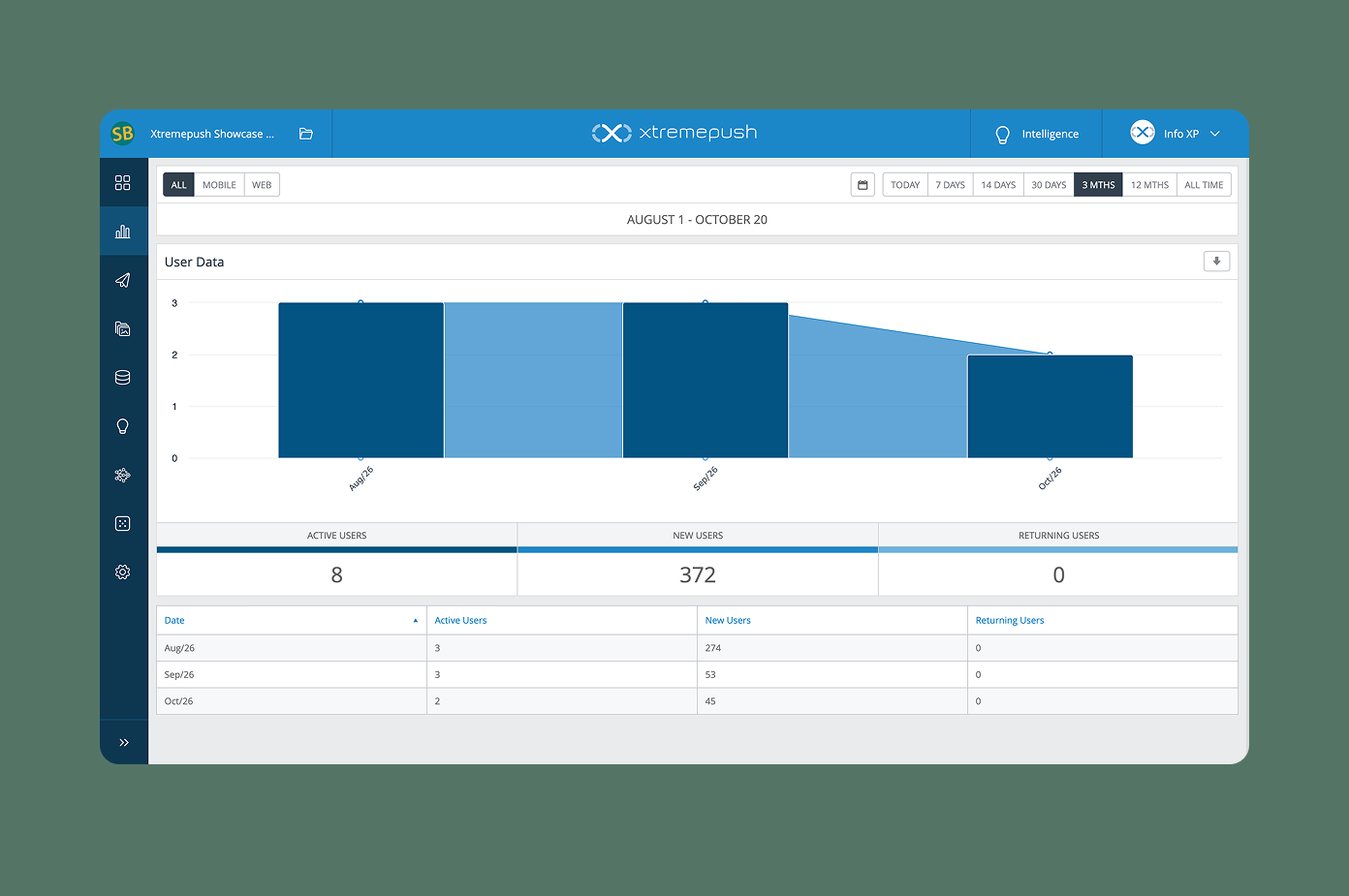
(Before) User data as a single bar chart.
Using colour with intent
Users with deuteranopia, the most common form of colour blindness
ITERATION
A client run-through showed the chart didn't work with real data
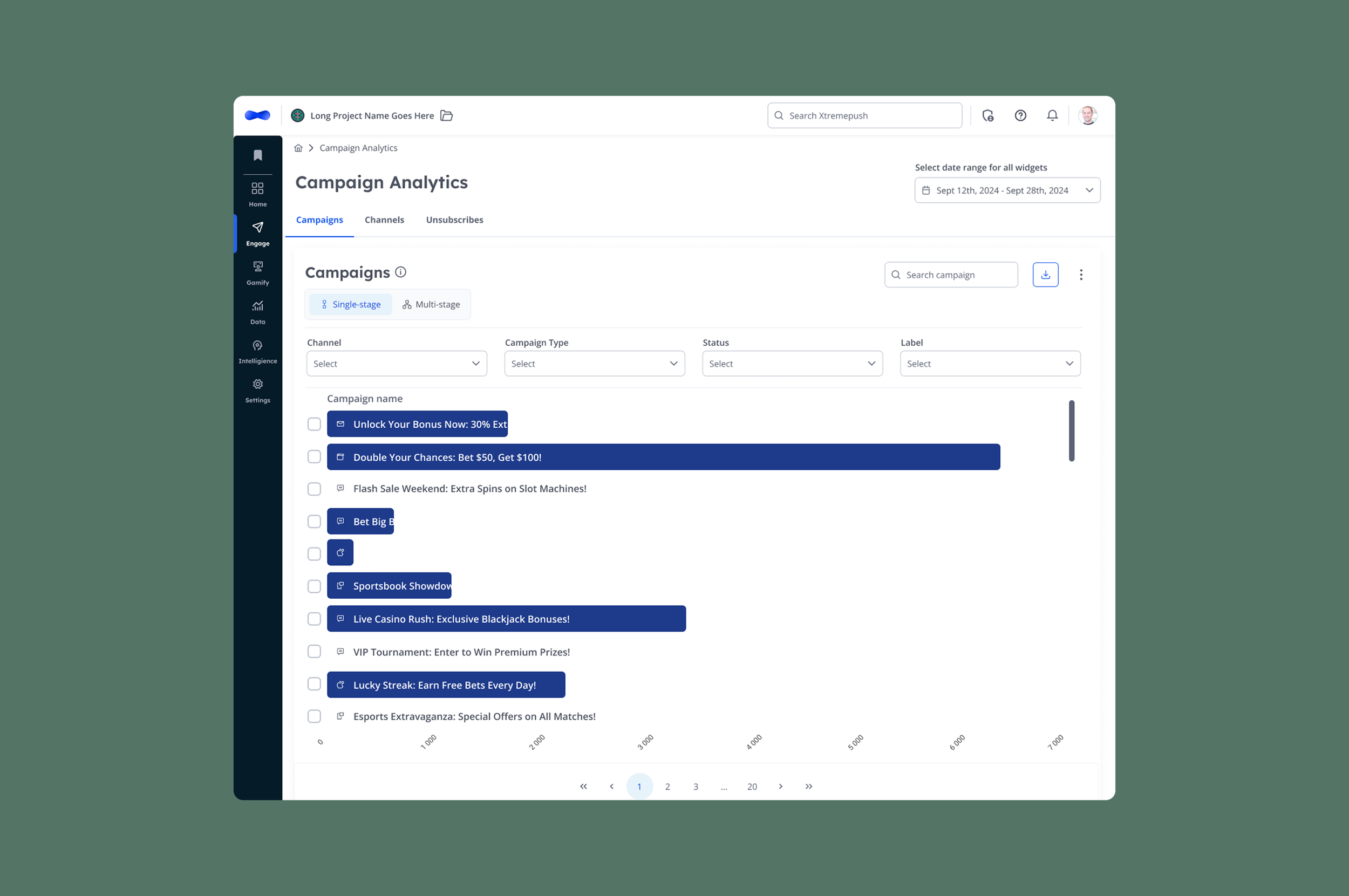
Before
OUTCOMES
What changed, and what we’re measuring next
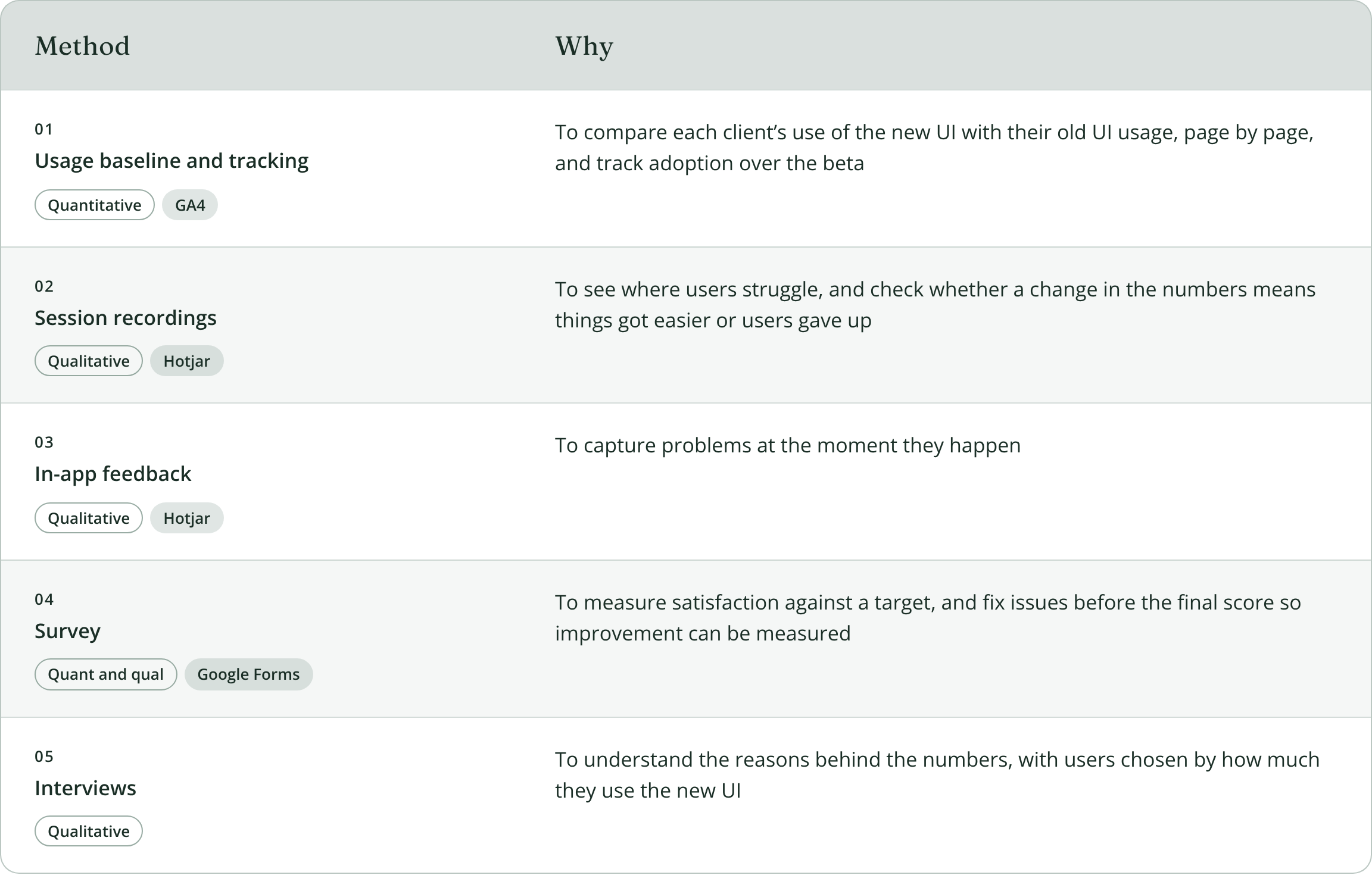
Phase 1 starts on 9 November with 12 clients, including two of our largest in Sport and Finance. Each client uses it for 4 weeks. I wrote the research plan that decides Phase 2, measuring satisfaction, critical issues, usage against the baseline, and what clients want next.
Enterprise rollouts involve migration and pricing constraints, so we’re tracking behavior in Hotjar alongside usage in GA4, to see how people use it as well as how often.
Interviews didn't fit the timeline, so we agreed on a survey. Our last customer survey had only 9 responses. I suggested adding an incentive and gamifying it with one of our own iGaming products, shown as an in-app pop-up to all users. Responses went from 9 to 74.
I also interviewed two Customer Success teams about the questions customers kept asking them, and the data they knew was missing.
64%
already used standard analytics
74%
used or wanted funnel analysis, one of the pages marked for removal
3 in 4
exported data to spreadsheets to understand results
Customers needed analytics. What we were showing them just wasn't useful.
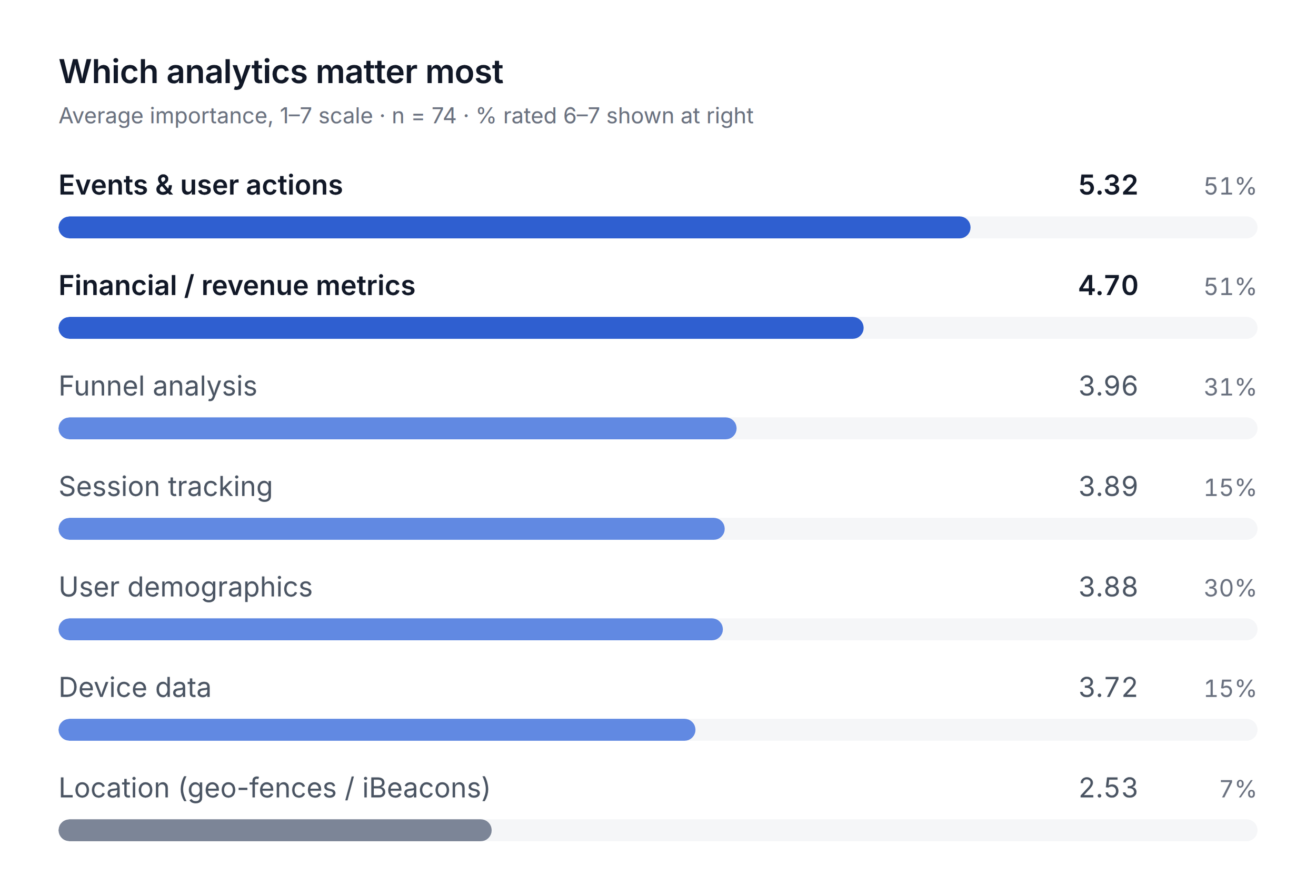
Events, which was next in line to be cut, ranked as the top priority. Events data was already tracked in a paid feature, which showed us an opportunity.
Financial metrics ranked second. Location data ranked last.
Analytics used to sit in one separate section. I moved it to where people do the work: campaign analytics in Engage, user analytics in Users, and events in Data.
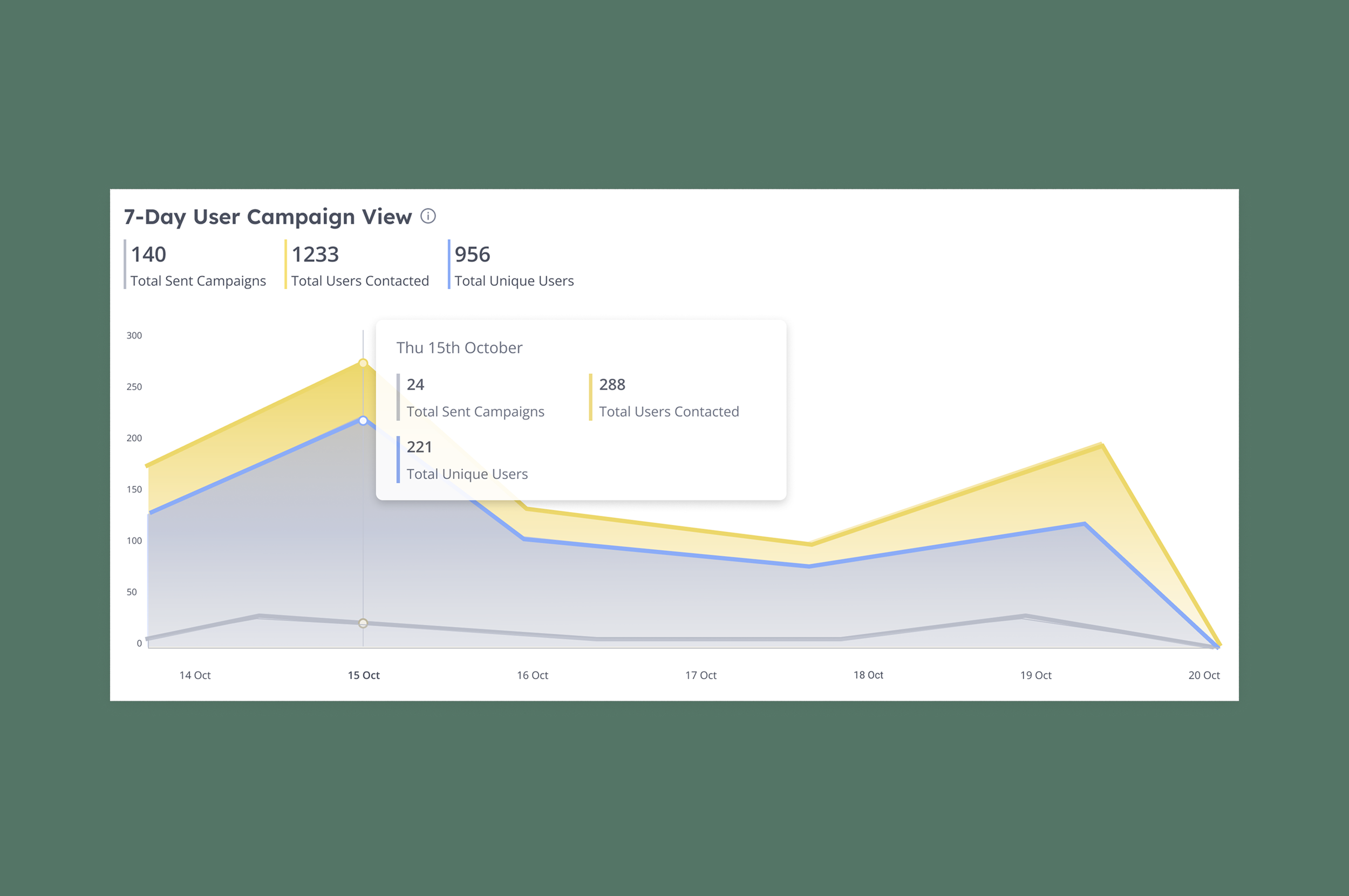
Every chart had been a combined bar and line graph, so I matched each one to its data: line charts for trends over time, and pie charts, kept to a few parts so they stay easy to compare.
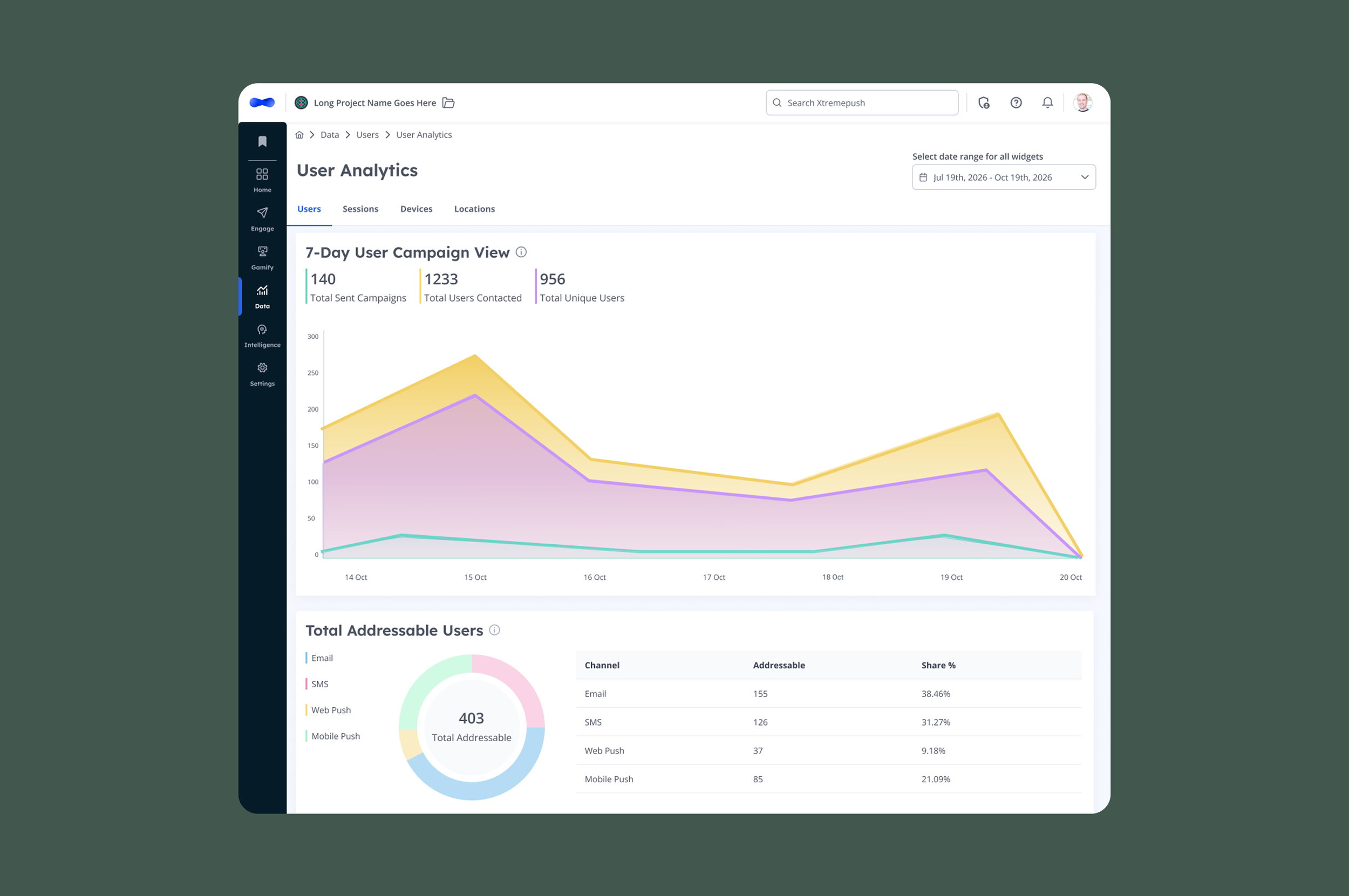
(After) New, active and returning users on one trend, with totals above.
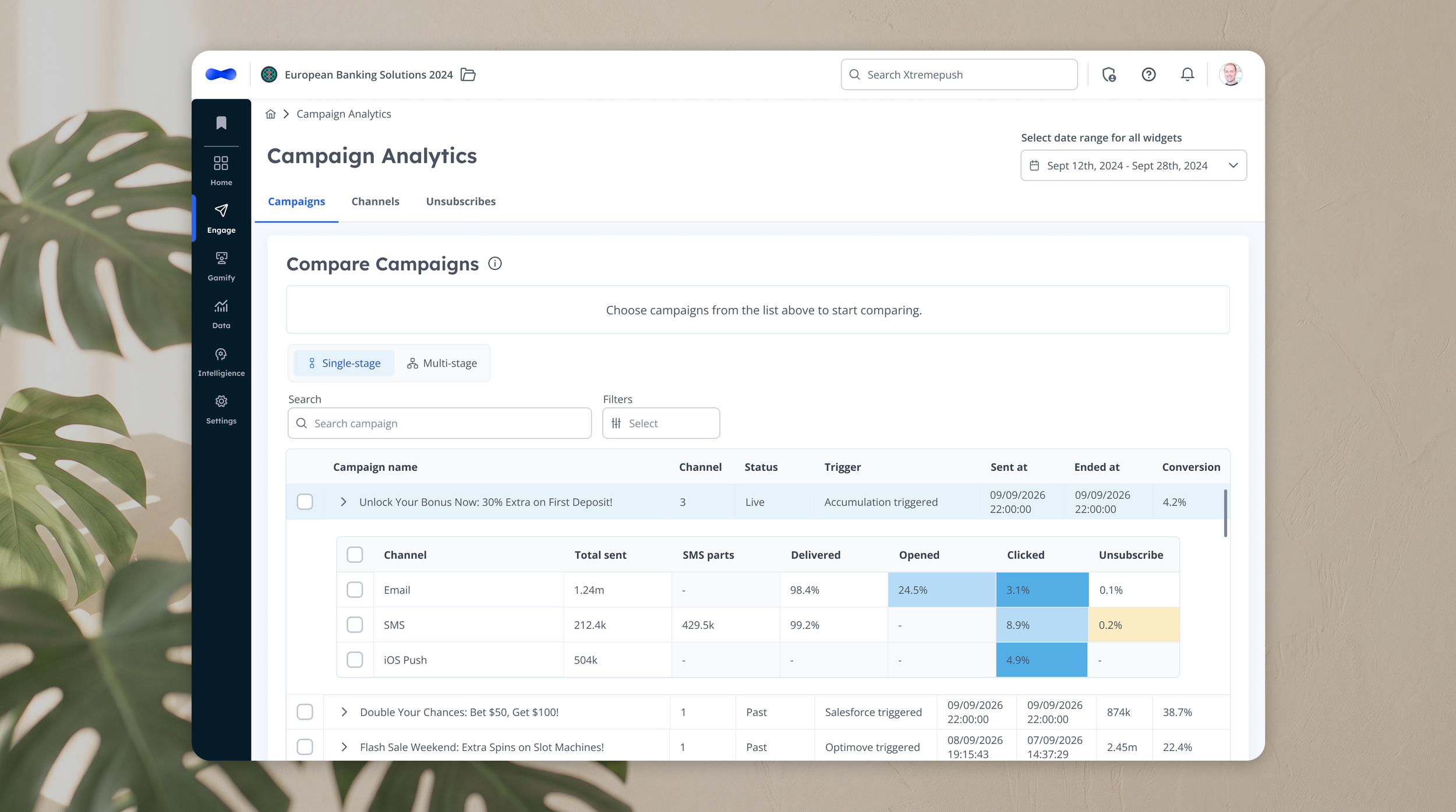
In dense tables, every number looks equally important. I used colour to show where to look first: a heatmap scale highlights engagement highs and lows, amber flags out-of-range values, and a dash means not applicable rather than zero.
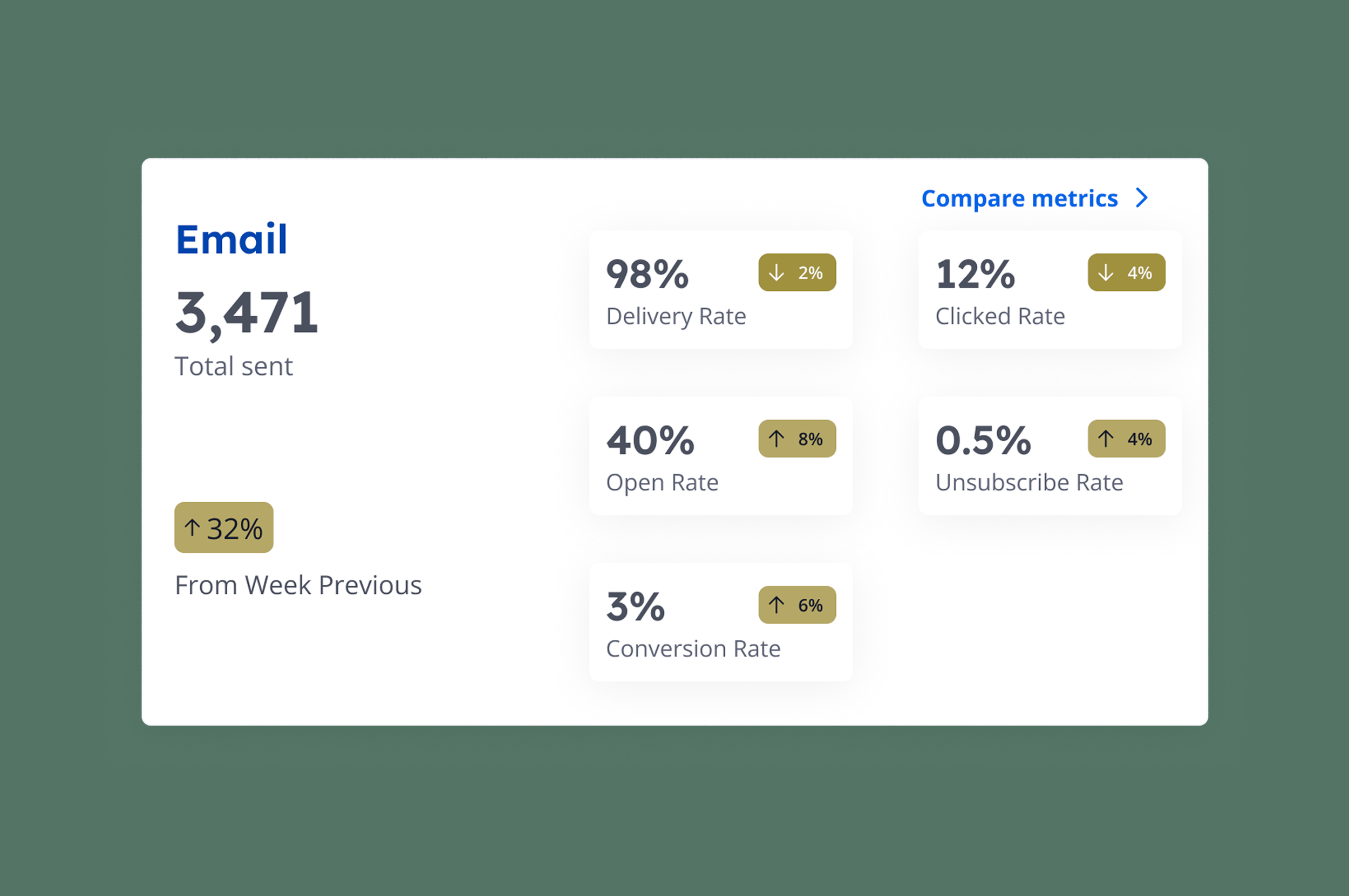
Colour never carries the meaning alone. Arrows and numbers show direction, so it still works for colour-blind users, and contrast meets WCAG: 4.5:1 for text, 3:1 for UI.
During the first production run-through of the new UI in one of our largest clients' environments, the campaign list chart broke down. Long campaign names were cut off. Campaigns with very large sends made smaller campaigns' bars too small to see. And it wasn't clear that the comparison chart below needed campaigns selected from the list.
The Head of Product said it would be hidden if we couldn’t fix it in time. I knew customers relied on this chart, so I wanted to make sure that didn’t happen. I tried other layouts first, but none solved every problem. So I proposed a heatmap table and talked it through with the developer. He found a better PrimeVue component than the one I’d chosen, and we used his. It was ready for dev 2 days later.
Next time, I’d use AI prototyping to test designs against many data scenarios and error states before the back end is ready
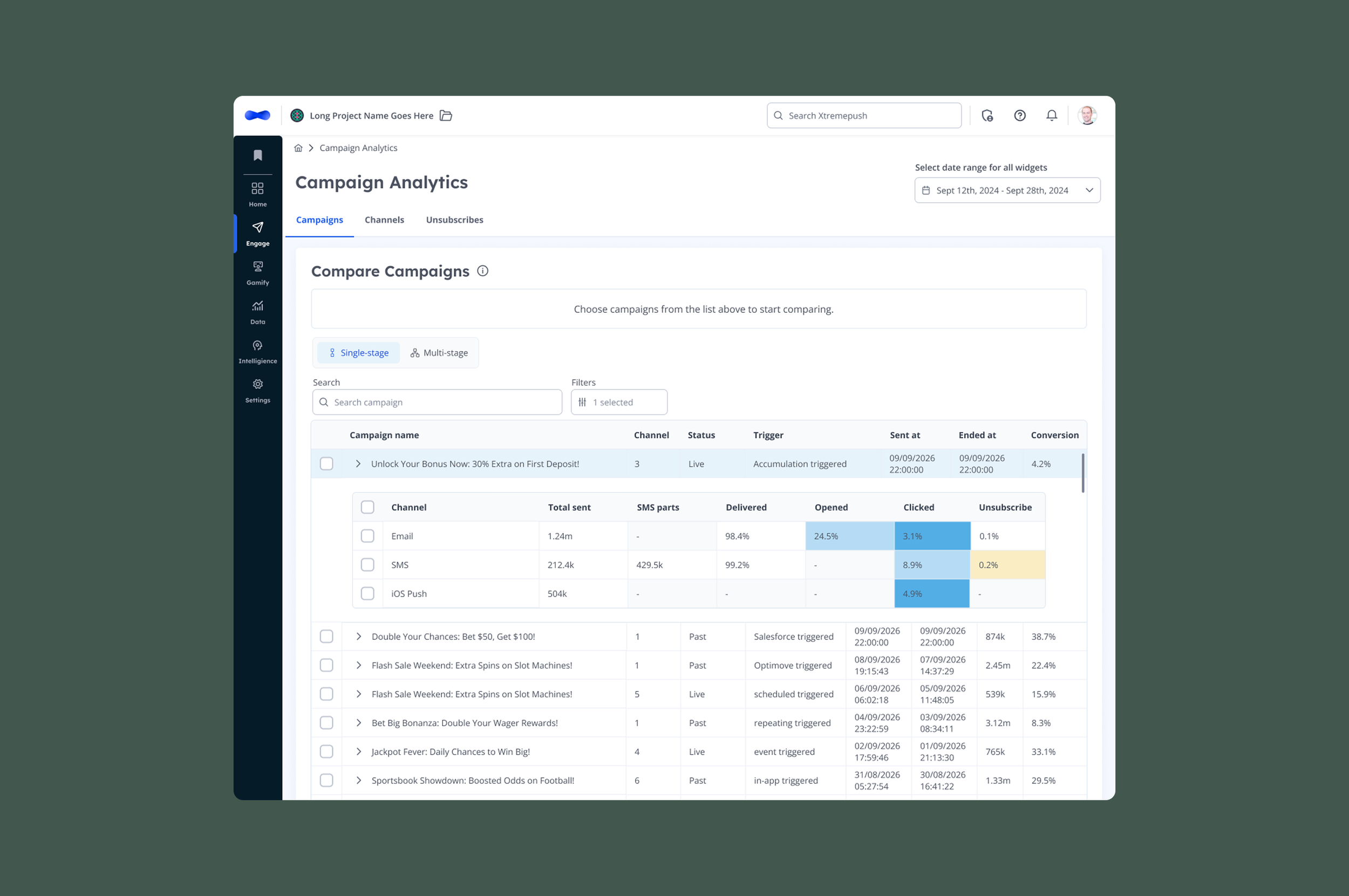
After
Trade-off: A table is less visual than a chart, but you can see every number without hovering, and channels sit under each campaign.
The research changed the roadmap: pages planned for removal were redesigned, and events became a priority.
HOW I’D DO NEXT
AI summaries that explain the numbers
An early version of the design explained what the data meant and how to act on it, but it was cut for time. 73% of customers tracked their data elsewhere, so people clearly needed that help. I'd bring it back with AI, used where people struggle most rather than added for the sake of it.
AI can spot patterns people would miss and get them to an answer faster, without needing data expertise. I'd start small, with an AI summary on the homepage, then expand to campaign, user and events analytics as people come to trust it.
I'd also let users ask questions in plain language, such as why clicks dropped last week, and act on the answer. Being able to question the data, and see the numbers behind each answer, is what helps people trust it.